Why my agents browse the web with a real mouse
There is an inexpensive mini PC in my closet, bought used off eBay, with no monitor attached. Well, there is a dummy display plug, so Windows believes a 4K monitor is attached. Chrome is open. One window, maximized. The machine never locks and never sleeps. Nobody has sat at it in weeks.
Every agent I run borrows that Chrome: Claude Code on my laptop, Codex in a VM, a loop in another VM. They all get the same browser_* tools through a LiteLLM gateway and–with the patience of beings that do not experience time–wait their turn. When a site insists on talking to the human, my phone buzzes with a Delta Chat message. I VNC into the box, click the squares with the traffic lights, and the agent carries on where it left off.
The agents never find out. To them it is a browser tool, same as any other. So let’s follow one click, from the agent all the way down to the page.
Before you get the wrong idea: the mouse is “real” to Chrome the way shadows on Plato’s cave wall are real. If you came for the Stuff Made Here version with servos and a 3D-printed hand, I am sorry.
An agent in a VM says “click”
Our click starts life in a VM that has never heard of my closet. The agent has already navigated somewhere and asked for a snapshot, and what came back looks like this:
- heading "Results for thinkpad t480" level=1 [ref=e3]
- combobox "Sort" value="Best Match" expanded=false [ref=e4]
- link "Lenovo ThinkPad T480 14" i5-8350U 16GB 512GB" [ref=e17]
- link "ThinkPad T480 i7 8650U 32GB RAM 1TB NVMe" [ref=e19]
- button "Next page" [ref=e52]
Role, name, state, ref. A few hundred tokens for a page that would be a megabyte as a screenshot. This is the same accessibility-style view that Playwright MCP popularized, and every model has seen a million of them. The agent reads the list, picks a listing, and emits:
{"tool": "browser_click", "sessionId": "s-14", "ref": "e17"}
Nothing unusual yet. The call crosses the network to a controller process on the box. Here is the thing: the browser on the other end is not the kind of browser that call was designed for.
The browser tools we hand agents were built for testing web apps. An agent browser should be a browser a person could sit down at.
The click arrives at a Chrome that is not mine
The first thing to say about the Chrome in the closet is that it is not my daily driver.
My own Chrome1 is signed in to everything. Give an agent enough hours in there and it will eventually do something I cannot undo. Give a dozen agents access and it is only a question of which one. So the box runs its own Chrome, with its own profile, signed in to a short list of sites I choose on purpose.
Amazon and eBay are not on the list. They show prices just fine when you are logged out, as long as they believe you are a person.
Those italics are the whole problem. The reason I wanted a browser for my agents in the first place was to comparison shop with real prices. Well, that, and to let the agents research without getting stuck on every CAPTCHA-guarded site as if it were paywalled.
Here is where every other tool turns left
At this point in the journey, the click is sitting in a controller process with a ref in hand. Most browser tools now hand the click to the Chrome DevTools Protocol (CDP), which tells Chrome to dispatch a mouse event at the element. Playwright does this. The browser extensions bundled with Claude Code and Codex ask for the “page debugger” permission on install, which is the extension-flavored way of doing this.
Here is what I considered before building my own thing, and where each one left me wanting:
| What I considered | What it gets you | Where it left me |
|---|---|---|
| Claude in Chrome, the Codex Chrome extension | Your real Chrome, your real logins, tab groups per session | My daily driver, with a debugger attached. See the dozen agents above. |
| The browser pane built into the Claude and Codex desktop apps | A sandboxed profile, per-site permissions | A stranger to every site, tied to one app on one machine, and I never got a clear answer on how it clicks |
| Playwright MCP, Chrome DevTools MCP | The best snapshot format in the business | Fresh profile, driven over CDP, and bot protection checks for CDP |
| Browser MCP, Playwright’s extension mode | Attaches to your existing Chrome | Still CDP, still my daily driver |
| The stealth patches: nodriver, rebrowser-patches, Camoufox | Sand the CDP fingerprints off, or swap in a hardened Firefox | Whack-a-mole. Worked for me sometimes, then stopped. |
| Computer use, Cua, and friends | Screenshots and a real (virtual) mouse, so the page is happy | Reading a screenshot to find a button, every single step. Slow, expensive, and still misses. |
| The ChatGPT cloud browser | Signs its requests so sites know it is a bot, on purpose | The exact opposite of what I wanted. Sites can say no, and do. |
Squint at the table and a pattern falls out. Every row that reads the DOM clicks through CDP. Every row that clicks with a real mouse reads pixels. Not one of them reads the DOM and then clicks with a real mouse.2
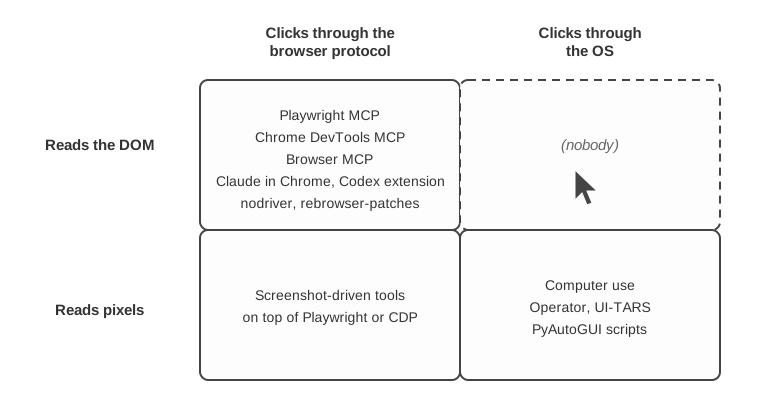
Our click turns right. It is going to the mouse.
But the mouse does not know what “e17” is
The two halves are each easy. A Chrome extension can walk the DOM and hand out refs. Win32 SendInput can move the pointer. The join between them is the trick.
On the box, three processes share the work:
- A Chrome extension that reads pages, hands out refs, measures elements, and watches for challenges. It never produces input and never dispatches a synthetic event. It talks to the controller over a local WebSocket.
- A controller (Node) that owns the agent API, the lease, and the pipeline that turns a ref into a screen point.
- An input driver (C#, a few thousand lines) that is the only process allowed to touch the mouse and keyboard. It speaks JSON-RPC over stdin, and it takes physical screen coordinates and nothing else.
The controller asks the extension where the element is on screen, scrolls it into view with real wheel notches if it has to, and then it picks a point. Not the center. A random point in the middle 60% of the largest visible rect, because a person does not hit the exact center of a button every time, and because a person also does not miss.
Now the hard part. That point is in CSS pixels, relative to the top-left of the viewport. The mouse speaks physical pixels, relative to the top-left of the monitor. In between sits a third unit, device-independent pixels, which is what Chrome’s window-management APIs report.
| Unit | Who speaks it | Origin |
|---|---|---|
| CSS pixels | getBoundingClientRect, clientX |
Top-left of the viewport |
| Device-independent pixels (DIPs) | chrome.windows, window.screenX |
Top-left of the primary display |
| Physical pixels | SendInput, the monitor |
Top-left of the primary display |
The transform between them is three lines of arithmetic.
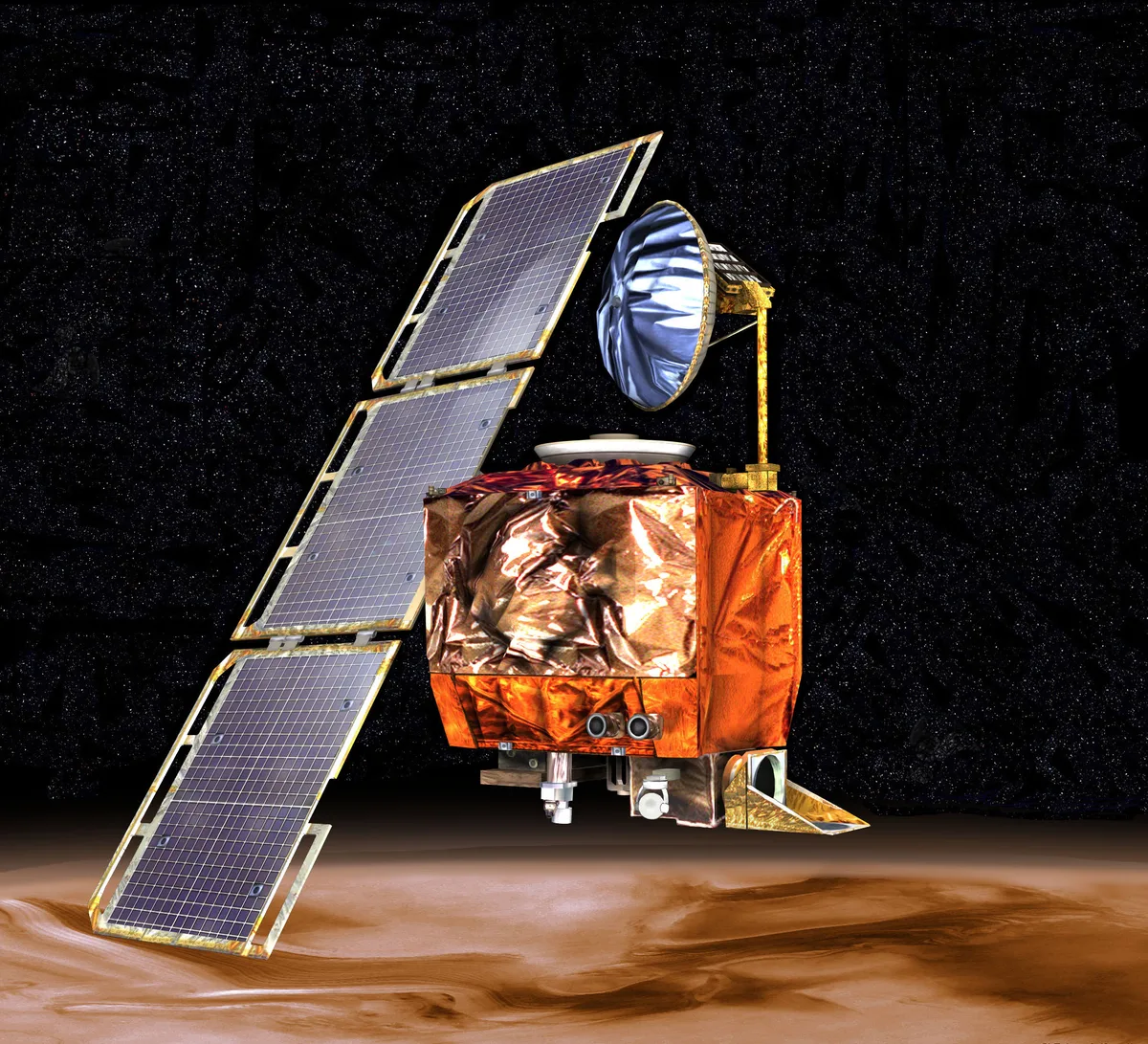
Mars Climate Orbiter, lost in 1999 to a unit mismatch. NASA/JPL, public domain.
The controller does not trust the arithmetic. It moves the real pointer to two known points, asks the page where it saw the pointer land, and derives the actual scale and offset from the difference. If the measured transform and the computed one disagree, it refuses to act. If you ever tapped the crosshairs on a Palm Pilot, you already understand it.
With a trusted transform in hand, the driver plays a gently curved path through SendInput, with a bell-shaped speed profile and a pixel or two of wobble. I will not pretend this is a human hand.3 When the competition draws a straight line at constant velocity, you don’t have to try very hard.
The pointer lands. Is the button still there?
Half a second has passed since the snapshot. That is enough for a cookie banner to slide in or a lazy-loaded ad to push the listing down a row. So before the button goes down, the controller asks the page three questions. Did the pointer actually arrive? Did it land where the math said? Is the target still the thing under it? A no to any of them goes back to the agent as a named error (INPUT_BLOCKED, MISMATCH, OCCLUDED) instead of a click on the wrong thing.
Three yeses, and then: a short dwell, mouse down, mouse up. The page receives a mousedown that, as far as its JavaScript can tell, came from the operating system. Because it did. isTrusted is true. There is no DevTools session on the tab and no navigator.webdriver. The input came from the same place a person’s would.
The page answers with a CAPTCHA
Sometimes the click is fine and the page is not. The listing page loads, and where the listing should be is a widget asking the visitor to prove they are human.
The extension sees this before the agent does. It checks every page against a short list of signatures: the reCAPTCHA iframe, the Turnstile container, the “press and hold” button. On a match, the controller puts the session on hold and the agent’s next call comes back HUMAN_REQUIRED with a ticket. The agent’s job is to poll the ticket and wait.
Meanwhile, three seconds later, my phone buzzes:
Browser needs you Agent “shop-loop” needs help on www.ebay.com: a recaptcha challenge (widget). Connect over VNC to browserbox to clear it.
I open a VNC client and I am looking at the same Chrome window the agent was just using. I click the squares. The driver notices input it did not generate and keeps the agents paused until I have been hands-off for 15 seconds. Then the ticket resolves, the agent takes a fresh snapshot, and it keeps going.
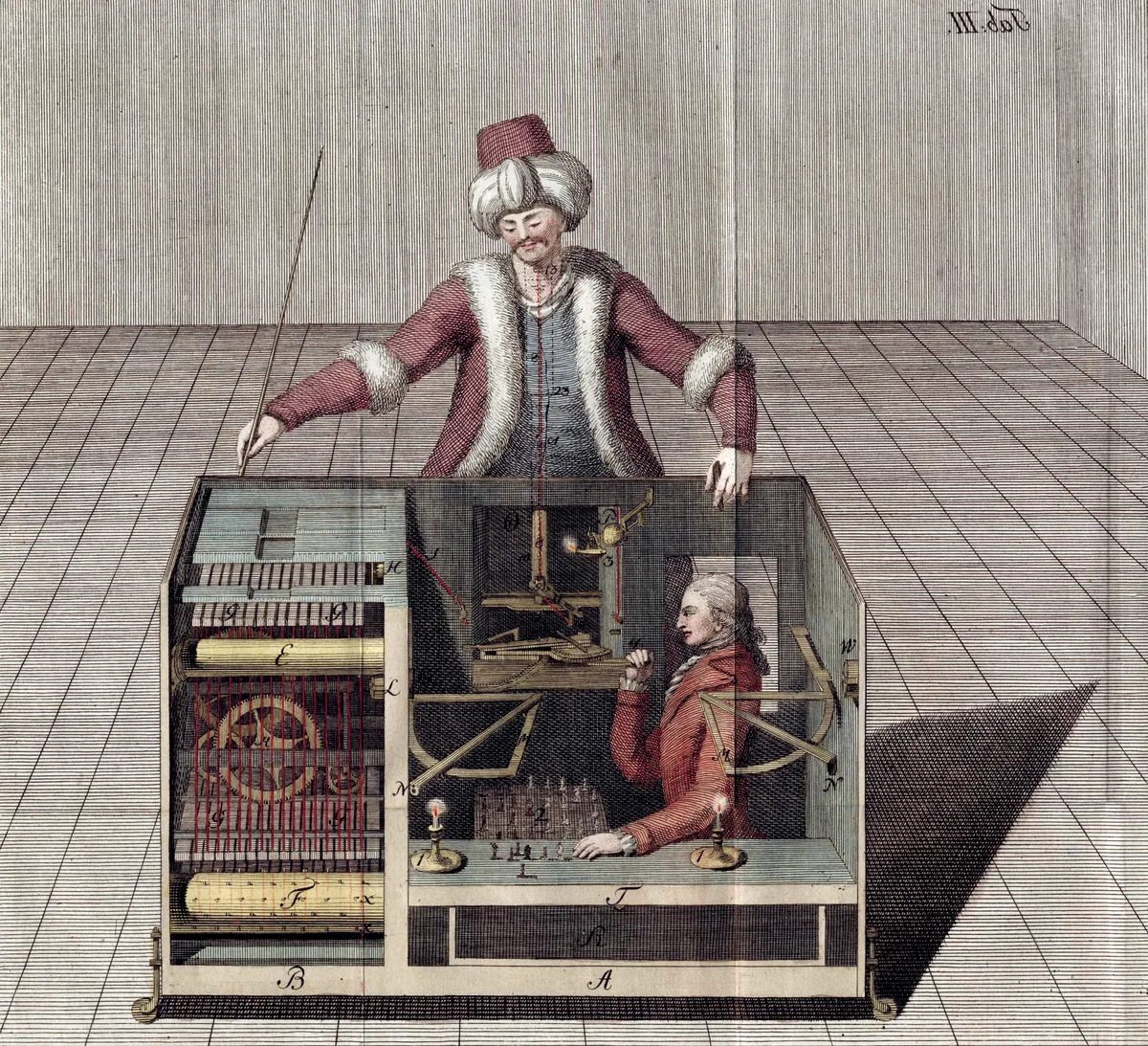
The Mechanical Turk, with the cabinet open. Joseph Racknitz, 1789, public domain.
The handoff cost nothing to build. It is a desktop, so VNC was already there. And every other agent waits in line the whole time, because the controller hands out one lease at a time and lets it expire after three minutes of silence. One desk, one chair, and I can pull up a stool whenever I like.
So, why the real mouse?
Having followed the click all the way down, the why is short.
- No side channel for the site to find. There is no DevTools session, no protocol handshake, no synthetic event, so there is nothing to patch and nothing to sand off. The stealth tools fight CDP’s fingerprints. This never makes them.
- The page gets the whole event stream, not just the click. A real pointer fires
mousemove,pointerenter, hover styles, and wheel events in the order the page expects, before the click ever arrives. Hover menus, lazy-loading on mousemove, and anything else that watches the pointer just work. CDP can fake the event but not the physics around it. - A real desktop is a real handoff. The CAPTCHA flow, the human-presence pause, and the ability to watch what the agent is doing all come from the fact that it is just Windows with VNC. Nothing had to be invented.
Pretty much every other browser automation out there is a browser pretending to be a person’s desktop, and the stealth patches are a better fake ID. A site asks whether there is a real desk at the other end, and when it doubts the answer, it asks for a person to sit down at it. A real desk answers both questions without trying. You don’t have to make the browser pretend to be a desktop if you simply give the agent a desktop.
If you build one
The design is above. These are the parts that ate the most tokens:
- Pin everything that can move. One profile, one maximized window, fixed display scaling, zoom locked at 100%. The toolbar offset is
outerHeight - innerHeight, and that is only true at 100% zoom. Check all of it on a timer and refuse to act when it drifts. - Calibrate by readback, not arithmetic. Compute the transform, then move the real pointer and ask the page where it saw it. Recalibrate whenever the window moves, the display changes, or a tab switches.
- Scroll with real wheel notches, outside in, and re-read the geometry until two reads agree, because Chrome animates scrolling. Fall back to
scrollIntoViewonly when the wheel fails. - Verify before every press. Did the page see the pointer arrive? Did it land within a few pixels of the plan? Is the target still under it, down through shadow roots and iframes? Give each failure a name and tell the agent what to do about it in the tool description. The usual culprit for a pointer that never arrives is a Windows notification toast in the corner.
- Keep the input driver dumb and separate. Physical coordinates in, nothing else. It refuses to act when Chrome is not the foreground window or the session is locked. Stamp every event it injects so you can tell your own input from a human’s.
- Install a consent-manager extension. Cookie banners are the number one cause of occluded clicks.
Why not just publish it?
The honest answer is that I would be signing up to maintain, for free, a project that other people’s agents depend on, and one that needs real upkeep every time Chrome or Windows shifts under it. I already have a job.
The design is the valuable part anyway, and it is all above. If enough people want it, I will publish the Claudeslop for building one with your own tokens.
The click on Publish for this post arrived with isAi: true.
Notes
- I don’t actually use Chrome as my daily driver, but you know what I mean.
- Not one I could find, anyway. OpenAdapt did it years ago in a version that has since been frozen: DOM-derived target boxes, screen coordinates,
pynputfor input. So the idea has a precedent. It just never became a product. - Possible follow-up project: write a little game that records how a person actually moves the mouse, then distill the recordings into a path generator anyone can reuse. Left as an exercise to the reader, or to future me.